



When Illustrator Suddenly “Cleans Up” – And Designers Are Left Searching
With the major interface update, Adobe Illustrator quietly removed several functions that had worked reliably in the background for years.
Not spectacular, not glamorous – but genuinely useful.
Especially for anyone documenting colors, creating CI guidelines, or defining product and machine design specifications.
Functions that disappeared include:
-
the complete labeling/annotation feature
(swatch labels, automated notes, dynamic annotations) -
copying color values via right-click
-
and several other small but well-established color tools
For many workflows that means:
What used to be one click… is now, well… manual work again.Für viele Workflows heißt das:
Was früher ein Klick war, ist heute… nun ja… wieder Handarbeit.
Instead of getting nostalgic, we simply solved the problem ourselves.
The Small Script That Brings Those Lost Functions Back
To make everyday work as efficient as before, we wrote a compact ExtendScript:
color_label_helper.jsx
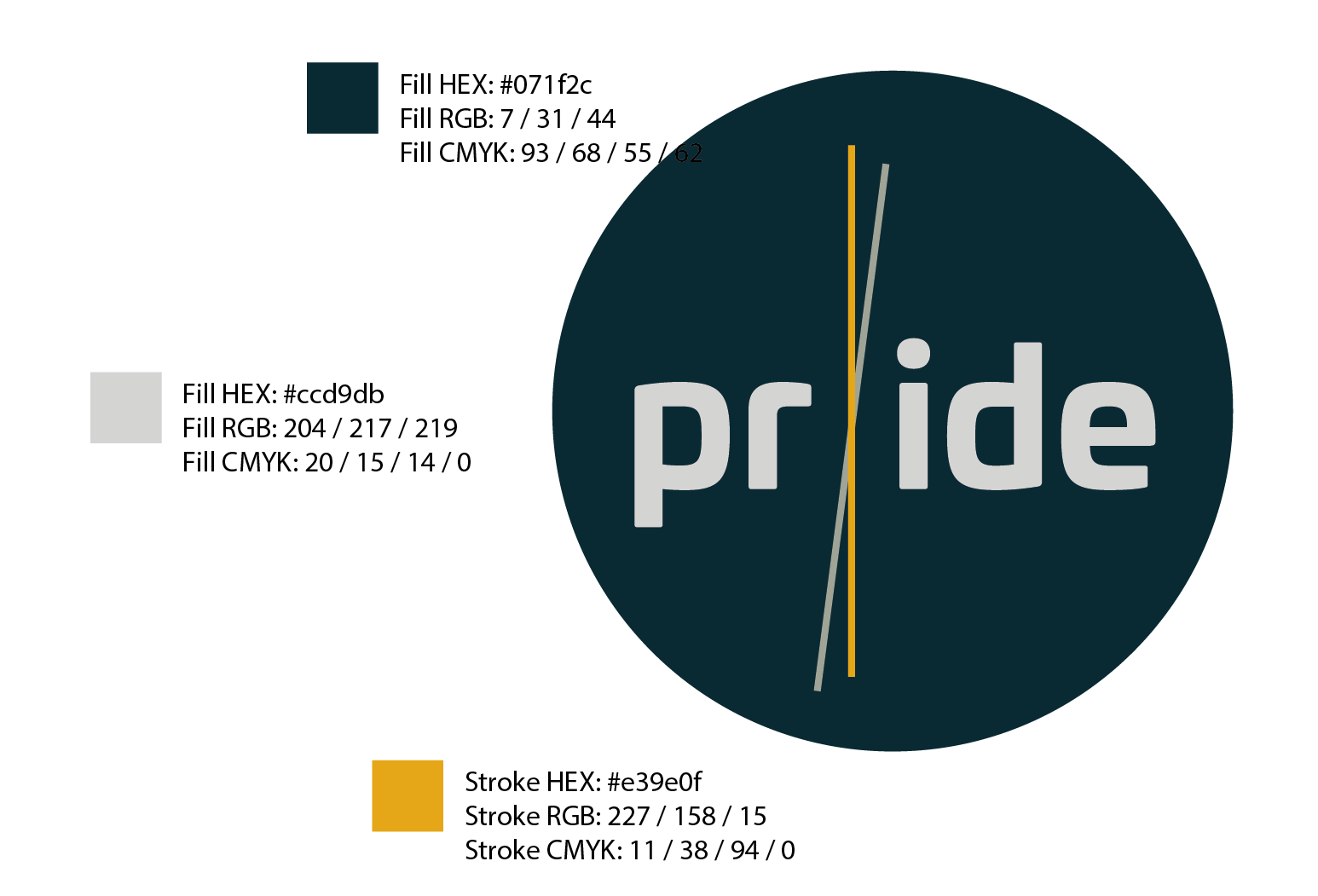
A single click on any object in Illustrator generates:
-
a small color chip next to the object
-
HEX value
-
RGB
-
CMYK
-
including full SpotColor support
The result:
A cleanly formatted color label – perfect for presentations, CI documents, and technical reviews.
Why a Script?
Illustrator offers an official way to automate workflows with ExtendScript.
Our script uses only publicly available functions—no hacks, no reverse engineering tricks—and is fully compliant.
In short:
Legal, easy, useful.
And most importantly: one click instead of five.
Download
You can download the script here:
👉 Download: color_label_helper.jsx
Quick installation guide:
-
Close Illustrator
-
Place the file into the Scripts folder
-
Windows: Program Files/Adobe/…/Presets/en_US/Scripts/Windows:
Programme/Adobe/…/Presets/de_DE/Scripts/ -
macOS: Applications/Adobe …/Presets/en_US/Scripts/macOS:
Applications/Adobe …/Presets/de_DE/Scripts/
-
-
Restart IllustratorIllustrator neu starten
-
Menu: File → Scripts → color_label_helper
Done.
Why We’re Sharing It
Because small tools – especially in design – often save more time than large ones.
And because good digital tools work best when they integrate seamlessly into everyday life.
If you have any questions or requests (e.g., LAB values, custom layouts, branding, or a version for entire color swatch libraries):
Just get in touch.




Leave A Comment
You must be logged in to post a comment.